HORIGIN STUDIO · AVAILABLE
Data workspace
Explore datasets and review information before using it in analysis or pipelines.
Overview
The Data workspace provides a central place to find project datasets, inspect their structure and preview available records. It also helps you find outputs from supported project activities.
Product walkthrough
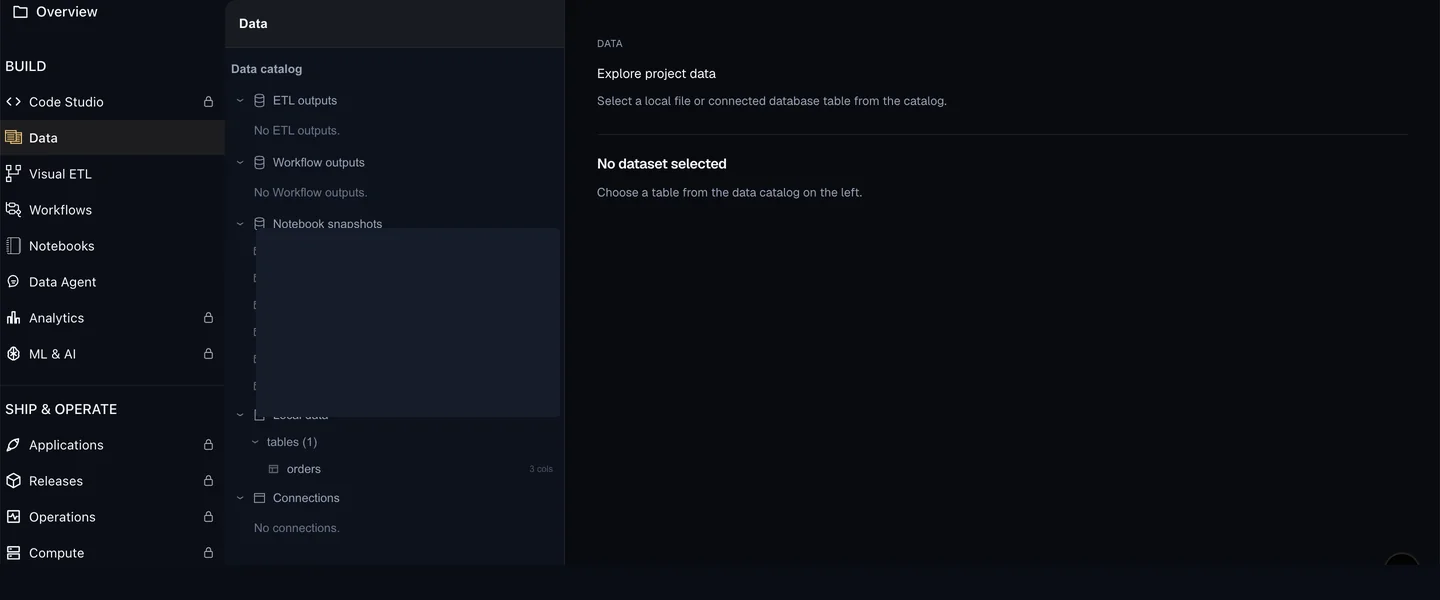
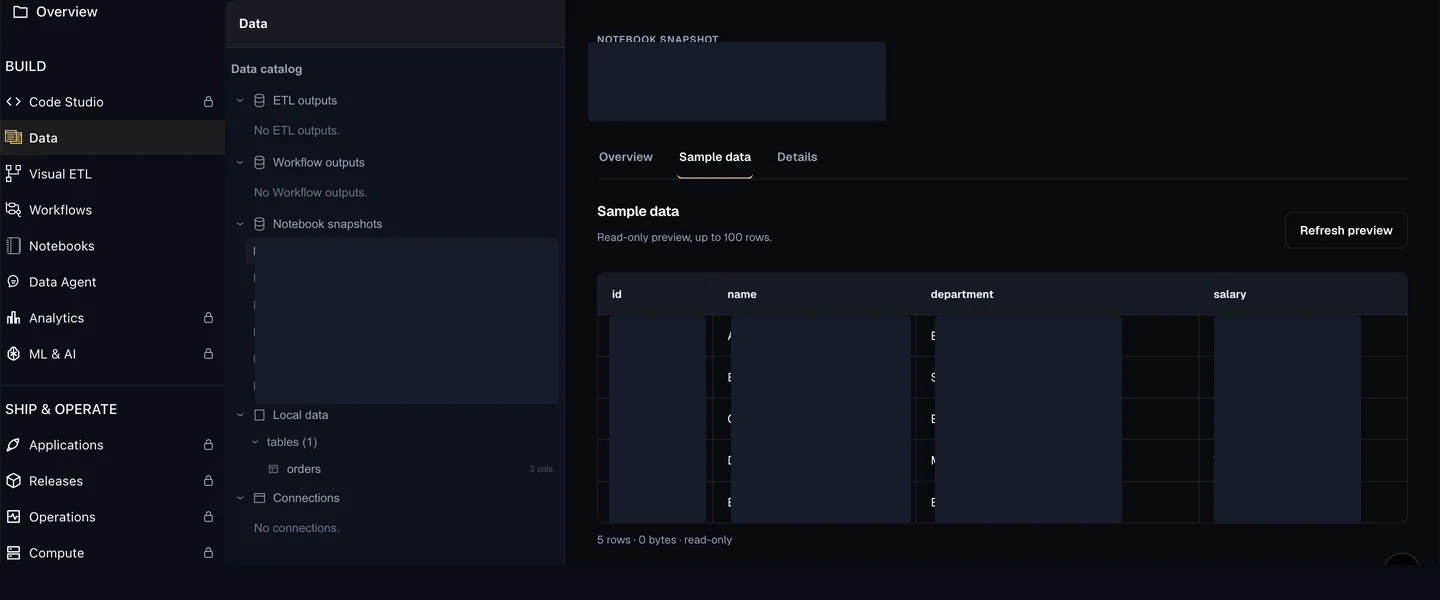
See the layout of this feature in Horigin Studio. These screenshots retain the product interface while private project information and data have been redacted. The actual interface may differ by workspace.
Key capabilities
- Browse datasets organized by source and project output type.
- Search or select datasets from the available catalog.
- Review column names, available previews and dataset details.
- Inspect available source information and supported quality details.
- Open datasets for use in notebooks and other supported project tools.
Getting started
- Open a Horigin Studio project and select Data.
- Use the data catalog to find a local dataset, notebook result or other available output.
- Select a dataset to open its overview and sample-data tabs.
- Review columns, sample rows and available details.
- Continue into Notebooks, Visual ETL or another supported module when you are ready to work with the data.
Availability and considerations
- Preview availability and row counts vary by source. A preview does not necessarily show the full dataset.
- Only datasets that your project can access appear in the workspace.
- Never publish dataset names, identifiers or values from a real project in documentation.